






















Sorting Choice Add-on for LearnPress

  • Introduce a dynamic sorting question type into your LearnPress quizzes to evaluate students more interactively.
  • Directly assess a learner’s understanding of sequences, processes, and logical order beyond standard multiple-choice questions.
  • Increase student engagement with a hands-on, drag-and-drop interface that works great on both desktop and mobile devices.
  • Apply to a wide range of subjects, making it a flexible tool for any course creator looking to diversify their assessments.
Integrated Question Creator

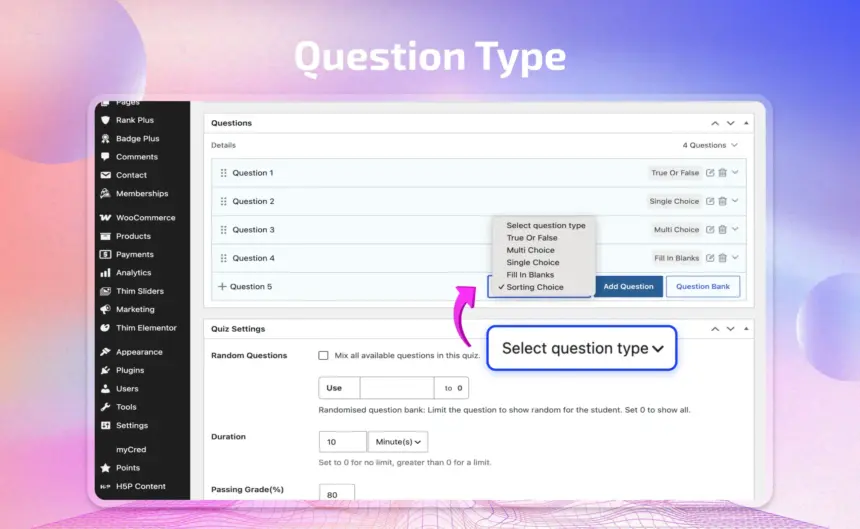
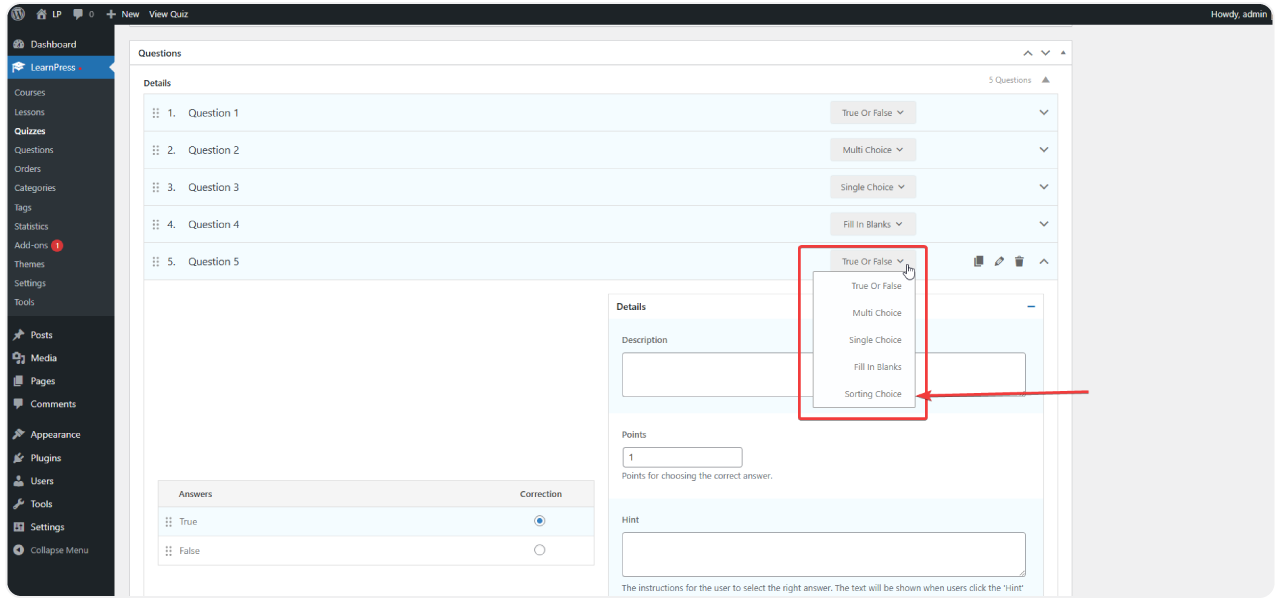
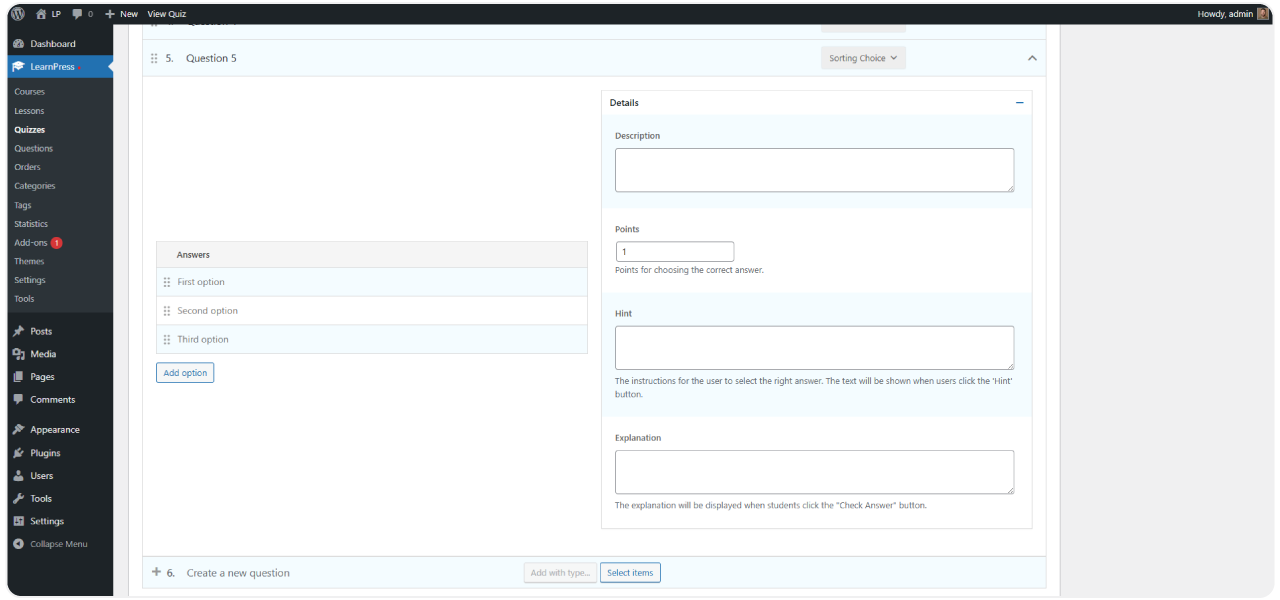
Add a "Sorting Choice" question directly from the LearnPress quiz editor. Simply input your list of items and define the correct sequence for automatic grading.

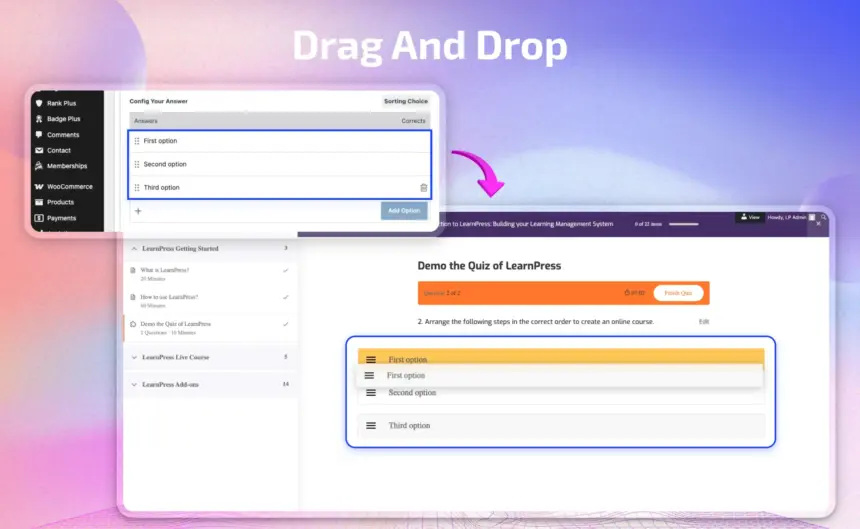
Intuitive Drag & Drop Interface
Versatile Assessment Applications
Full LearnPress Quiz System Compatibility
9 reviews

Active Users: 3445

Price: $19

  • Lifetime license for 1 site License Info:Includes lifetime usage on 1 site. You can switch between environments as needed by deactivating/reactivating the key. Only one active installation can receive updates and support at a time.Learn More
  • 12 months Update & Support Updates & Support Info:Purchase includes 12 months of updates and support. After expiry, the add-on remains functional, but you must renew the license to access future updates and support services.Learn More
I would like to extend Update & Support
Total $19
Version
Version: 4.0.2
Compatible to WordPress Version: 7.1 or higher
Change Logs

= 4.0.2 (2025-09-05) =
~ Fixed: compatible with LP v4.2.9

= 4.0.1 =
~ Move js in learnpress to sorting choice.

= 4.0.0 =
~ Compatible with LP4 and use with React.

Screenshots

sorting-choice-1
sorting-choice-2
sorting-choice-3
Question Type scaled

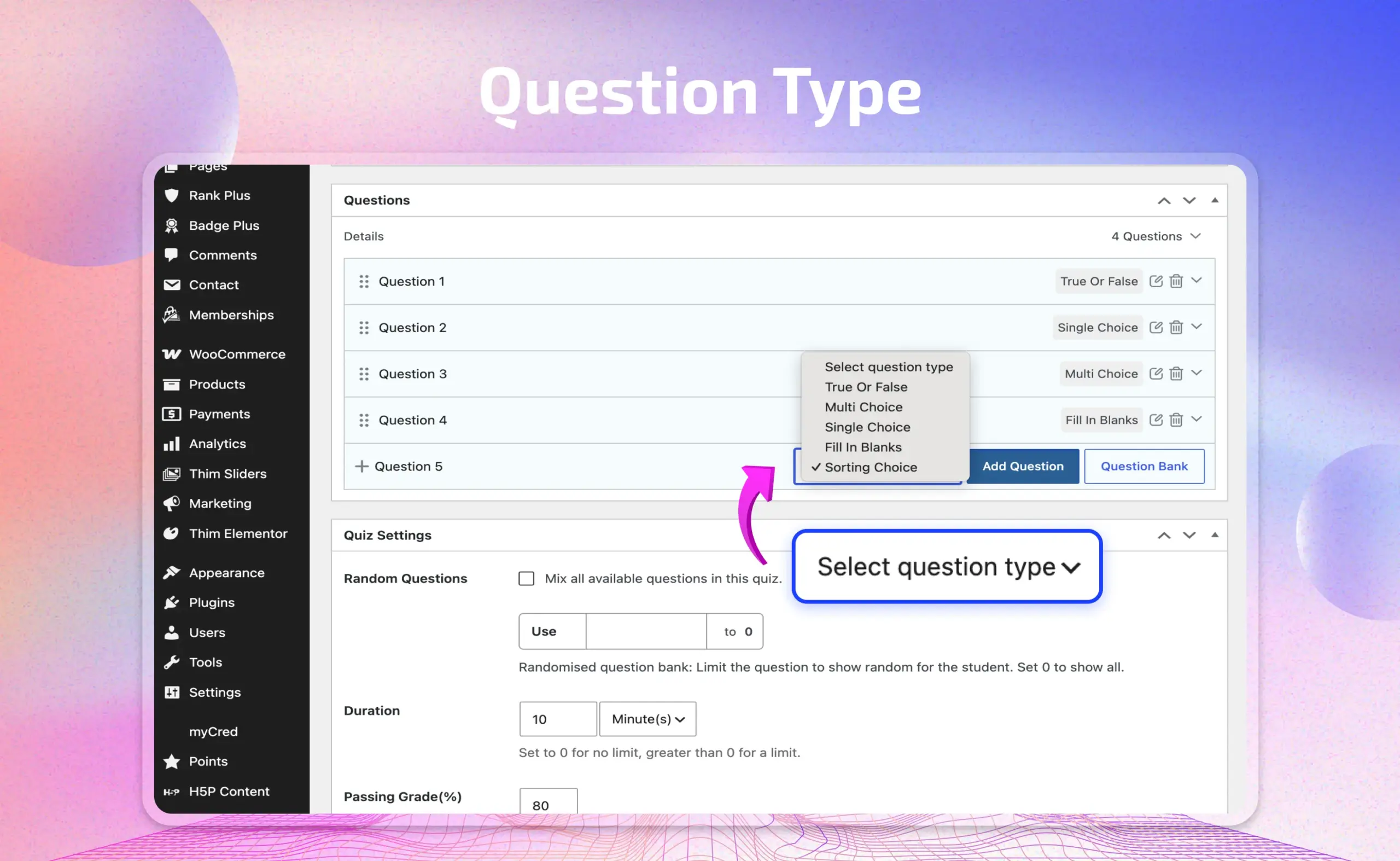
Add “Sorting Choice” as a question type in any quiz

  • Works inside your existing quiz builder, so adding a sorting question takes the same few clicks as any other question type.
  • Perfect for testing sequences, steps, rankings, or processes — things multiple choice can’t properly assess.
  • Mix sorting questions with other question types in the same quiz for richer, more varied assessments.

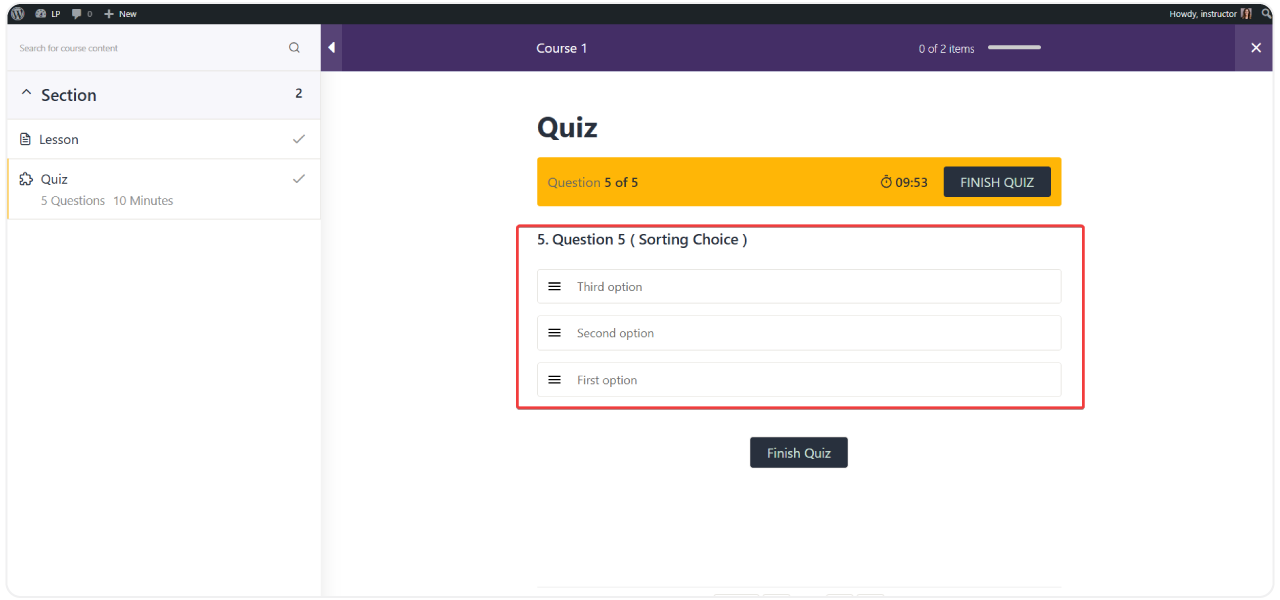
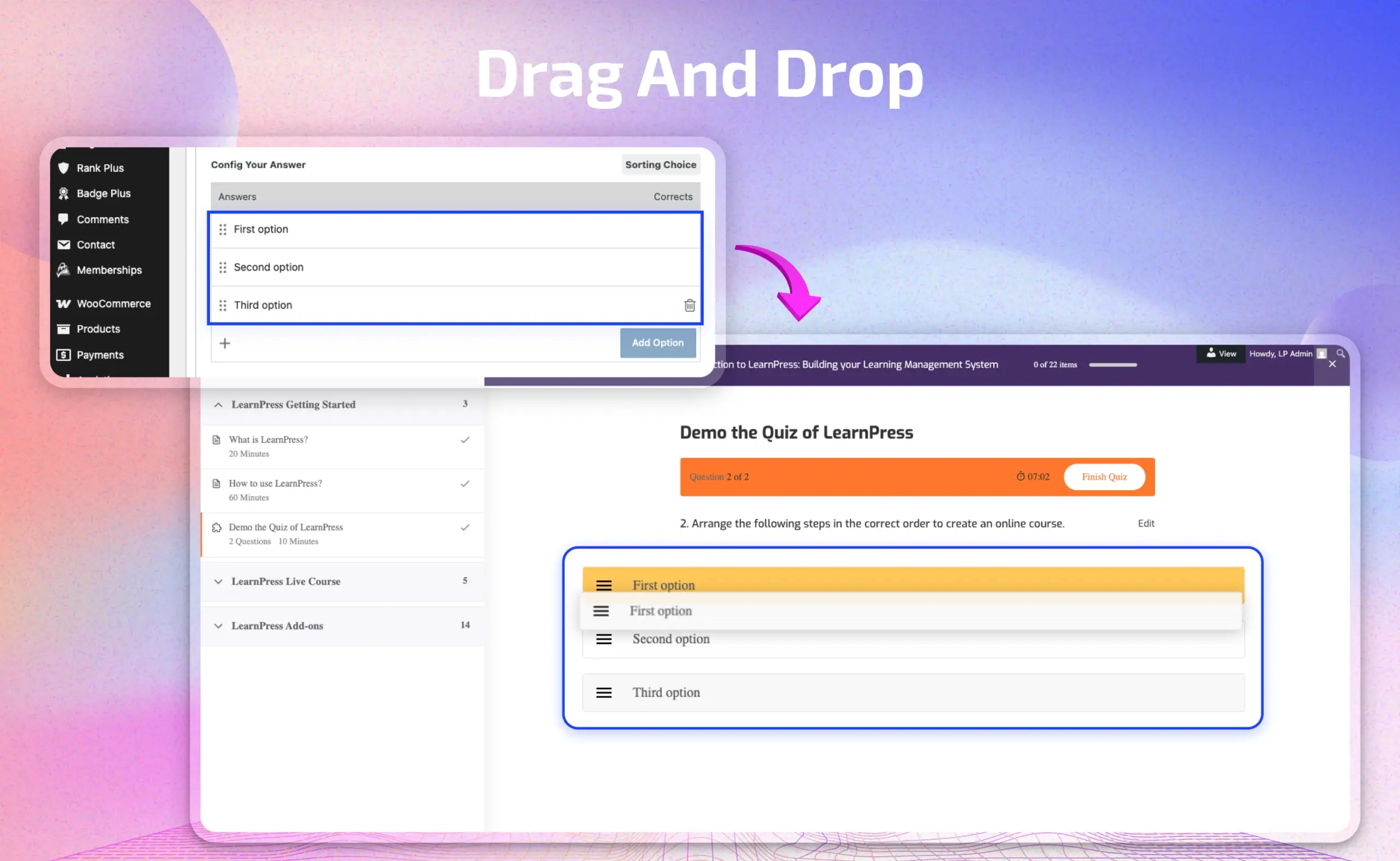
A drag-and-drop interface students actually enjoy using

  • Students reorder answer options by simply dragging them into place — no typing, no guessing from a dropdown.
  • Clean, intuitive interaction that works smoothly on both desktop and mobile.
  • Makes quizzes feel more interactive and less like a static form, boosting engagement during assessments.
drag and drop scaled
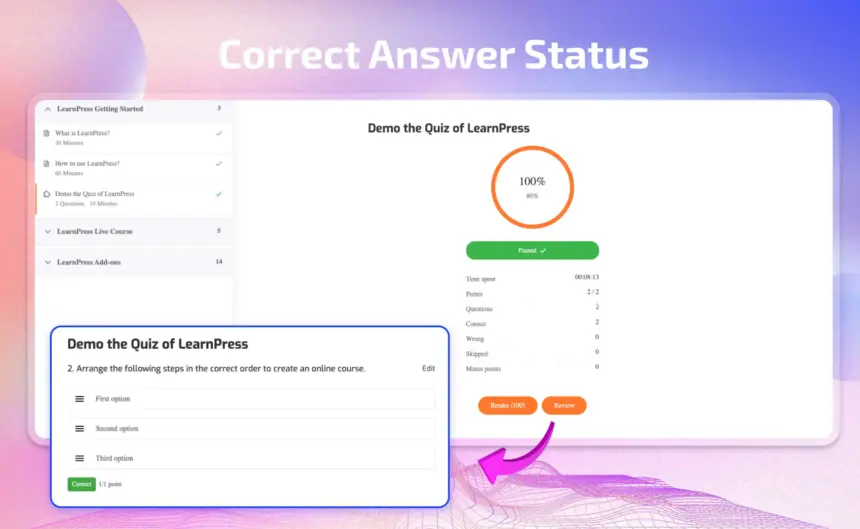
correct answer status scaled

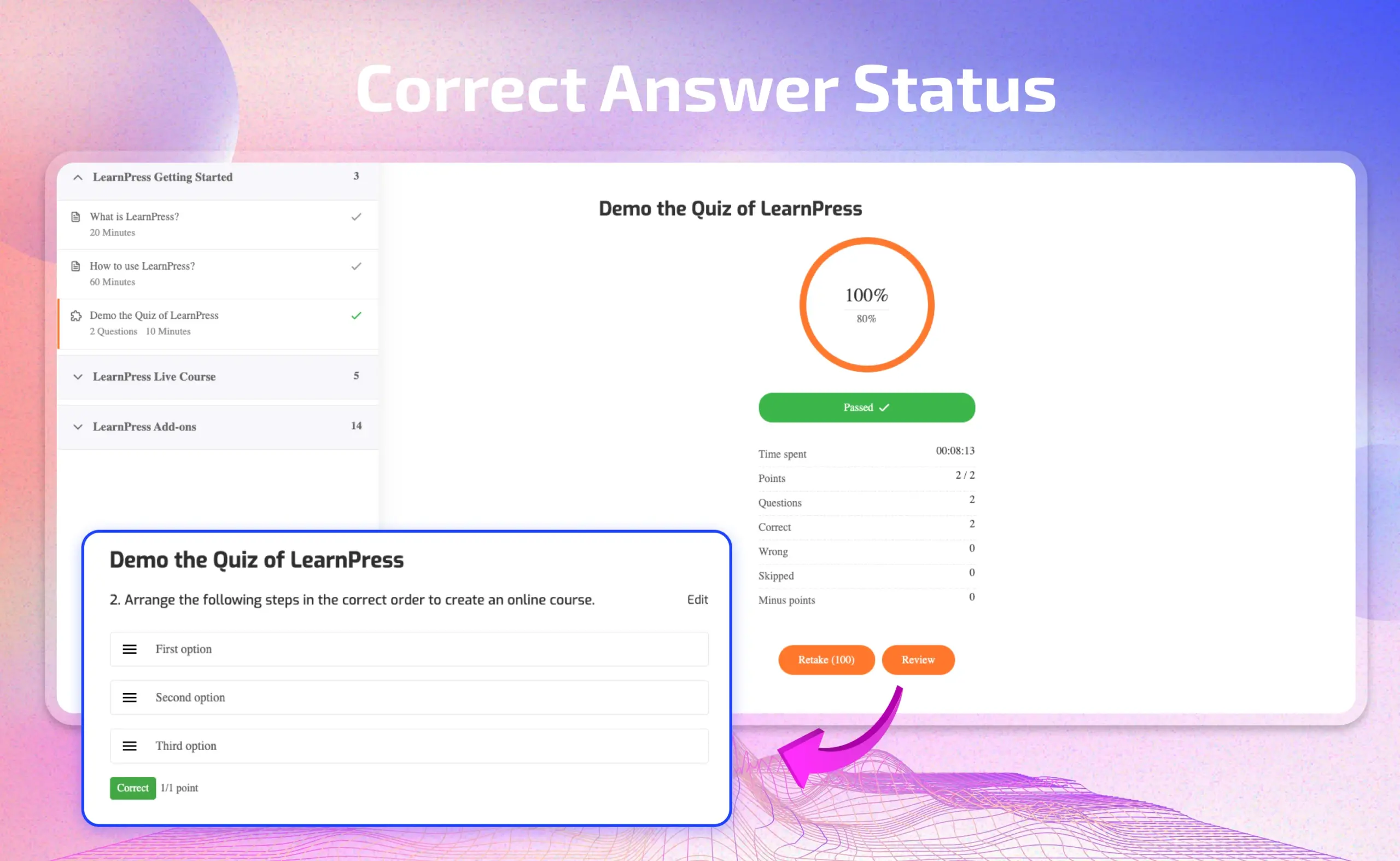
Automatic grading with a clear right-or-wrong breakdown

  • Sorting questions are graded automatically based on correct order — no manual review needed.
  • Students see exactly which steps they placed correctly and which they missed after submitting.
  • Score, time spent, and question-by-question results are shown clearly, just like other LearnPress question types.

All Your Questions
Answered

You have questions.
We have answers.

What is the Sorting Choice Add-on for LearnPress?

The Sorting Choice Add-on for LearnPress is an extension that allows you to add a “sorting question” to your quizzes. Students must drag and drop a list of items into the correct order to answer correctly.

How does this add-on improve the quality of my assessments?

It helps instructors create practical, real-world questions that test students’ analytical and process-thinking skills. This moves beyond simple memorization to measure a deeper, logic-based understanding of a topic.

What are the direct benefits for instructors and students?

The add-on offers clear benefits:
Boosts Student Engagement: The interactive drag-and-drop format makes quizzes more engaging and less tedious.
Measures Logical Thinking: It effectively evaluates a student’s understanding of sequences and processes.
Saves Instructor Time: The intuitive, visual builder requires zero coding, making it quick to set up complex questions.

Can you provide specific examples of how to use sorting questions?

Certainly. Here are a few examples by subject:
– History: Arrange historical milestones or events in the correct chronological order.
Language Arts: Order words or phrases to form a grammatically correct sentence.
Programming: Place lines of code in the proper sequence for a function to execute correctly.
Science/Healthcare: Sequence the steps of a scientific procedure or a medical process.

Do I need coding skills to use it?

No, absolutely not. The add-on provides a simple visual interface within the LearnPress quiz editor. No programming knowledge is required.

Is it compatible with other LearnPress add-ons?

Yes, the Sorting Choice Add-on for LearnPress is designed to work correctly with other extensions in the LearnPress ecosystem, such as Co-instructors, Content Drip, and Frontend Editor.

Go to our Forum and explore more than 2000 support topics
Feel free to contact us for support anytime

Reviews

Total Reviews
9
Average Rating
5 out of 5
5
9
4
0
3
0
2
0
1
0
  1. Camila

    The flexibility of the addon allows me to sort different types of tasks and exercises.

  2. Nigel

    The Sorting Choice addon helps create interesting and rich quizzes.

  3. Jake

    I love the feature of tracking learning progress. It helps me provide specific feedback to students.

  4. Selina

    The Sorting Choice addon integrates smoothly into LearnPress and does not cause any problems.

We're Here to Assist!
Click to Chat on Messenger.

×